Intro

My name is Eddie Rowe, (candidate number 9147). I'm a media student at the Latymer School. I am working in group 2 with Mario Louka, (candidate number 9099),and Ignacio Flores (candidate number 9049). To view my work, use the 3 labels on the right named 'A2 Research and Planning', 'A2 Construction', and 'A2 Evaluation'.

Group 2 Music Video

My Music Video

Digipak

My Digipak

Group 2 Website

My Website

Monday, 21 December 2015

Construction Post 2: Week 2 Production

4th Day - 18th November 2015

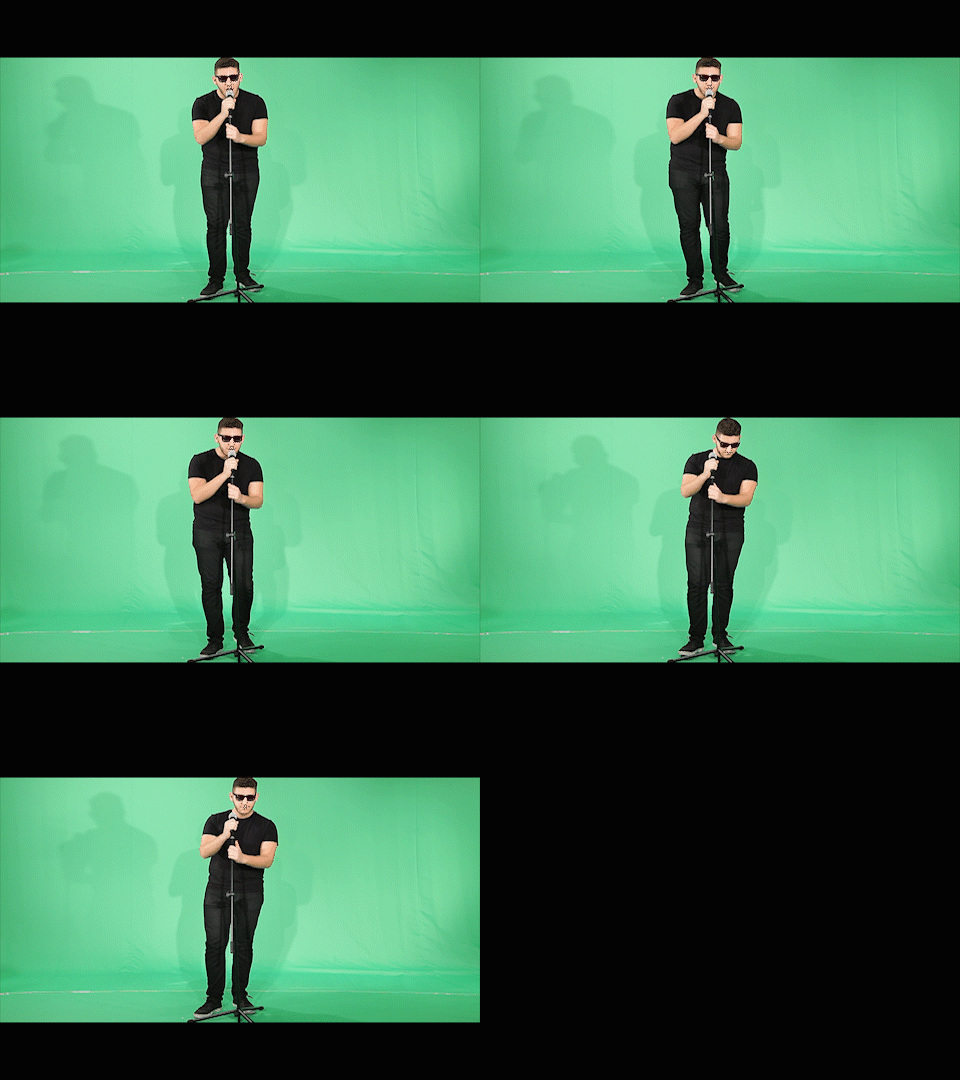
For the majority of day 4 Shayam had prior commitments to take care of, so we focussed on getting as many of the shots of Mario alone done as possible. The majority of this was purely just filming him sing the whole song through from different angles, so we didn't really run into any issues as it was relatively simple. This process was also sped up by the fact we shot with both the school's Canon 5d mkII camera, and my Canon 600d, thus we were able to shoot more than one angle at a time.

We'd shoot an angle with my camera...
...and shoot a different angle with the
school's camera.


I'd say this day was very successful, as we recorded an abundance of shots of Mario that could be used similarly to master shots, as we can keep cutting back to them when editing.


5th Day - 19th November 2015

I also tried out focus pulls to add a bit
more variety to these shots.
We tried out various styles of
dancing in order to both add variation
but also ensure we had shots that
would fit both the faster-paced sections
of the track and the slower ones.
Day 5 was the most complex day for shooting, both in terms of planning for it, and on the day itself keeping everything running smoothly and on-time. The reason for this was it was the day which used both the largest number of actors, and the most other miscellaneous stuff, such as the glow-in-the-dark paint, which ended up not working. Although the paint didn't work, the glow sticks we used worked perfectly in the end night-time party scene.

I had to increase the ISO for longer shots
to get (what appeared to be) similar
brightness.
In order for the largest number of our actors to be available whilst we were shooting, we shot the majority of this during a media lesson. The only hiccup we had was that we overran by a small amount, however this in itself didn't really present any issues. The reason we overran was due to the fact we wanted to get as many takes as possible so that we had as many options of shots to choose from as possible. Furthermore we also would randomly think up interesting shot ideas on the spot and then want to try them out. I also spent a good 5-10 minutes trying a few shots whilst varying the ISO, I did this as I wanted to get the glow sticks looking as bright as possible whilst not getting interference appearing in the dark areas.

After school, we then shot the orange scene, which is the other main party scene but in a much lighter setting. Although all went to plan, and we finished ahead of schedule, looking back on the footage I feel like we should have perhaps shot more of it at different angles. In addition, these shots look far more 'awkward' than the end party shots, this is probably mainly due to the face we have long shots with far fewer people in them. If we were to redo this scene I reckon we would use more actors and a wider variety of shot angles and lengths.

Looking back on a couple of the shots, we should've had less space
between the characters, and also had far tighter framing in order
to better represent a fun, relaxed party scene.

6th Day - 20th November 2015

After the rush and stress of the previous day, day 6 was a far more relaxed shoot day. In the morning we reviewed the previous day's footage, and at lunch time we re-shot anything that we felt wasn't of a good enough quality. This was mainly just improving singular shots of Shayam, me, or Mario, and we spent just under half an hour actually shooting on this day.
Despite there being seemingly two good takes in this shot, we
felt the need to re-shoot it as Mario's head was slightly cut off
at the top of the frame.

Construction Post 1: Week 1 Production

For our music video we scheduled six days in which we felt we would be able to shoot all the footage required. In order to try to work in the most


1st Day - 15th November 2015


There were many CU shots that were
relatively easy to get right first time.
In my opinion, the first day of filming ran very smoothly. We got to school at 9 am and planned to start shooting at 11 am were able to get a lot of shooting done way ahead of schedule, I believe this was due to us scheduling more time to be spent on shots than was realistically required. Alongside this, many of the shots were very simple CU pans of things like the book and the headphones.


2nd Day - 16th November 2015

We shot shots for the Mars scene on the second day.
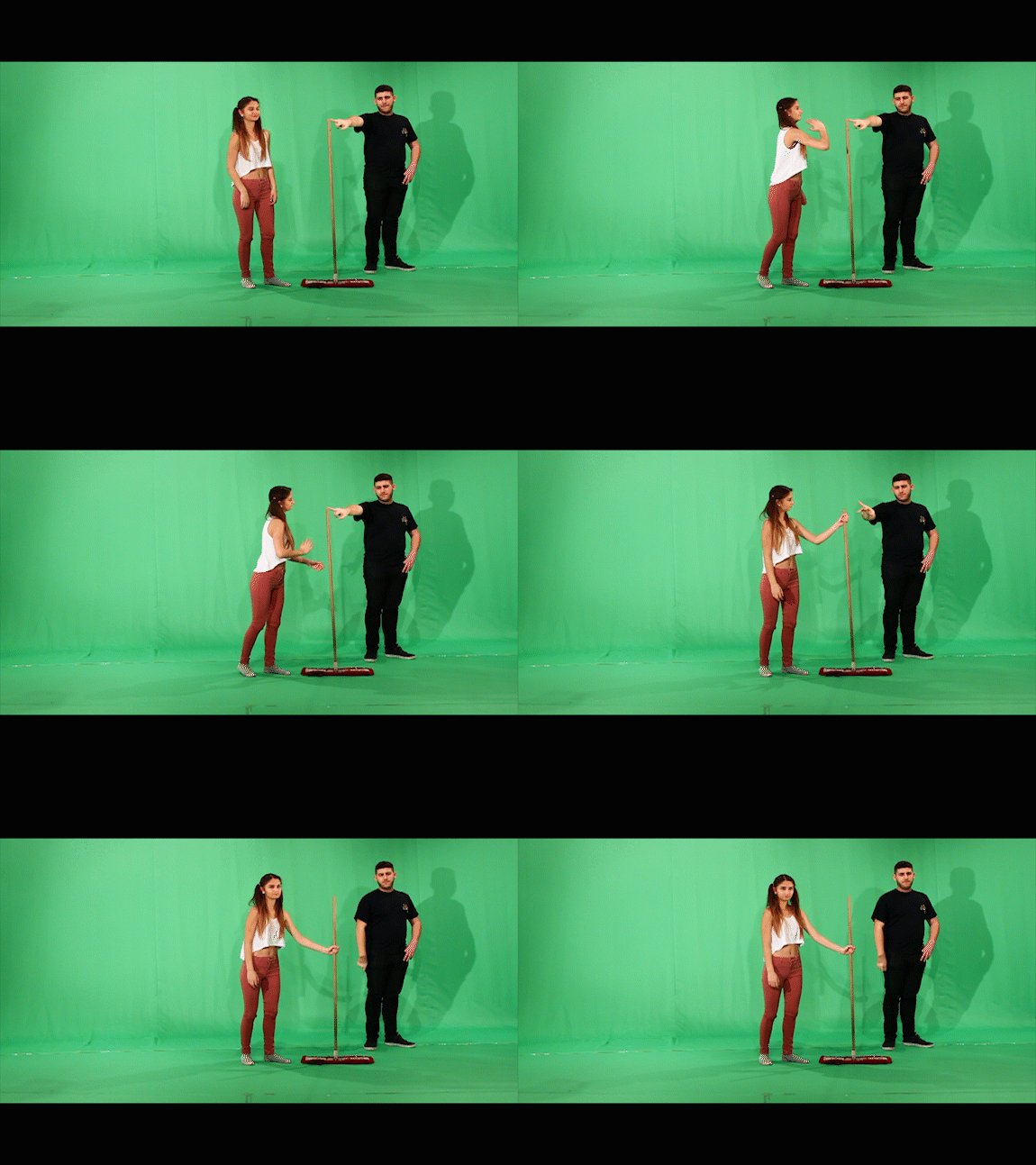
I realised we would have an issue though, in relation to the flag shot. If the flag were created in post, and there was no physical representation when we were shooting, how would Shayam be able to replicate the movement of planting a flag if she didn't know where it started or stopped? There was a mop in the corner of the studio so I suggested we used that, and it enabled Shay to do more realistic movements.
Having Mario hold the mop made it
a lot easier for Shay to keep it vertical.

I noticed another issue however, whereby when Shay planted the flag, (the mop), she would often end up with the pole leaning somewhat. I felt this would be an issue as if we wanted the flag straight upright in post, then it'd be hard to track that to her hand if she was originally holding the mop at an odd angle. For this reason, I asked Mario to hold the pole upright while Shay did the required movement. I realised that in post we'd just have to mask him and the pole out manually.


In hindsight, getting green props or a green suit for Mario would've made this problem a lot smaller of an issue and saved a fair amount of time.

3rd Day - 17th November 2015


When we first filmed shot 4, we didn't
realise Shayam was barefoot.
This 3rd day we mainly used for capturing shots we had missed or needed to re-shoot. The reason we needed to re-shoot quite a few shots was due to the fact none of us had previously noticed that Shayam didn't have socks on for a large number of shots - when she should have. Although this may not have been a notable continuity issue to a lot of people, we felt we should redo those shots.
Once we had noticed, we redid those
shots.

R+P Post 33: Reflections on my role and contribution during Research and Planning

This far into the project I am really please about how we are progressing as a group and how our project is taking shape. I have done a short write-up below detailing what I personally have done to contribute to the research and planning stages of the project.


  • I drew up a timeline of our chosen track, Sun Goes Down. This was really useful working in tandem with the storyboard as it allowed us to more accurately judge whether the length of each scene seemed appropriate or not.
The timeline was where I split the track into logical sections
dependent on dynamics/tempo/feel.
  • I organised testing the studio lighting using the Leap Frog lighting desk during our test shoots. This was really useful both before we had decided to use green screen, as it allowed us to explore colour, and also getting the right warmth and shadow prevention on the green screen when we ended up deciding to use it.
I used the lighting desk to change the colour and intensity
of the lights.
  •  When it came to editing the test footage and constructing a rough edit, I tried out various effects on the footage we had shot.
I key framed colour correction on a shot in the test footage
to see how it appeared.
  • Once we had come up with some ideas for the digipak panels, I created a rough sketch to depict how we all felt the final thing should look.
Final digipak planned design
  • I researched and purchased the glow-in-the-dark paint we planned on using, however after testing we found it did not work as well as we had expected.
The glow-in-the-dark paint I found and ordered online

  • Since I am the DJ featuring in the music video, I have also been involved acting in the test shots.
I acted in the test footage
In conclusion, I think our group are working really well together, contributing equal amounts to the project, and I can't wait to start the production stage.

R+P Post 32: Test shoot and rough edit


Similar to the way in which we organised the rehearsals, we created a shoot schedule for the test shoots for each of the three groups.

Due to requiring the green screen to be set up for almost all our shots, we ended up being allocated less time in the studio than the other groups.


At the very beginning of the test shoot we needed to test out lighting. 

I used the lighting desk to make coloured lighting setups for each
of our 'scenes' and saved them so that we could load them quickly
at a later date.
I edited the Canon 5D's colour temperature settings in order to ensure that the green-screen curtain was a vivid green and that the subjects stood out and were the correct colour. This would make it easier to chroma key them.

I got Mario to stand in frame whilst
I edited the colour temperature settings,
so that I could make sure people didn't
turn out an odd colour.

Although we edited the test shoot footage together on Premier Pro, we decided not to chroma key it and start putting in the backgrounds. We made this decision due partly to the fact that we had little time, and partly as we could not get the full sized green screen for the most part.

We thought that, not being able to get the full green screen curtain, it would probably not be worthwhile doing the After Effects work, as it wouldn't really give much of an accurate representation of what we could achieve in terms of the 'look' for the actual shoot.

Furthermore, we unfortunately couldn't compile a full-length rough edit as we had various mishaps that set us back in terms of time. This included floor lamps blowing and the studio lights getting stuck on incorrect colour settings.


We were still able to decide on some things to work on for the real shoot and edit however. We need to plan ahead for technological issues such as lights blowing, so we will have spares ready by the set as and when we need them. We will also ensure to give ourselves far more time that we predict we will need in order to lessen the impact any unforeseen issues may cause on timings.

The other main aspect that we want to improve for the actual shoot is making each scene appear less sparse. Although this is a lot to do with what we will put in in post-production, we also need to take into consideration how many actors and objects are physically in each shot we shoot, and what their positions are.

R+P Post 31: My call sheet

The next step was to product a call sheet so that all cast/crew knew where to be and when.
We had no major health and safety comments, however we spoke to everyone involved about the general health & safety risks faced on set, this included things such as being aware of where cables trailed along the floor, and not touching the floor lights as they get extremely hot.

The call sheet itself
I found the call sheet very useful for ensuring good organisation, it helped us in staying on top of everything preventing any stressful situations.

R+P Post 30: My shoot-board

In order to be prepared for our main shoot, we created a shoot-board. Now that we have produced our shoot-board, I think all of our group are far more confident that we are going to achieve all the shots we need to the standard we want.

One of the pages of our shoot-board.
We only created one shoot-board as we were only shooting at one location.
The columns from left to right on the shoot-board:

  • Setup No. - This allows us to shoot in order of set up, speeding up our shoot as we don't have to waste time swapping settings.
  • Time - Predicting the timings of shots allows us to have a schedule to stick to in order to ensure no time is wasted.
  • Shot Image - in this box we placed our post-it-notes from our moodboard, this will help us frame and visualise the shots we are going to shoot.
  • Description/Camera/Dialogue - filling this in highlighted to us any areas where we had shots with little variety. Furthermore this will help us when we shoot to instantly recognise the shot we need.
  • Actors/Props - This will help us be organised for every shot so time wasting is kept to a minimum.
  • Director/Camera/Sound - we will list which of our group performed the role for each shot.
  • Last two columns - these columns will be very useful, especially when it comes to post-production as it will allow us to quickly find the best take for each shot and thus speed up the whole editing process.
As shown above, creating the shoot-board was useful for many reasons, a final notable one being that this massively cuts down the amount of paper work we will have to carry around on shoot day as it culminates several other documents into one.

R+P Post 29: Rehearsals

In order to schedule our rehearsal times, we had to meet with the other 2 media groups to discuss time allocation. We attempted to give everyone equal time allocations, and was basically decided around when everyone was free to do work.

In the photo, our group's allocated times are indicated by the blue boxes. Some of these slots not all of our group were free for, so we have indicated those who can use that time slot with an initial.
(M for Mario, E for Eddie, and I for Iggy).


One of the first rehearsal times we had we used to test some ideas we had for using the glow paint. This was when we found that the glow in the dark paint wasn't bright enough to appear on camera, even when shutter speed was reduced and ISO heightened. The following video demonstrates this.

We thought that sunset colours fit the track "Sun Goes Down"
rather well.

We spent a significant amount of time testing lighting set ups using the studio's lights and Leap Frog lighting desk. We tested using filters on the lights as well, due to the fact that early on we had not settled to using green screen entirely. There was one thing we noted that could have worked quite well, we found that having all lights set to variations of orange and dark yellow, and one bright yellow spotlight created quite a good representation of a sunset.


We also used this rehearsal time for trying out shots using Shay. The following video shows us trying to get a zoom that fits perfectly with Shay opening and closing her eyes. I was on camera and Mario was directing in this section.
Zoom test
Overall, we found rehearsals a very useful period of time as it allowed us to spend some time experimenting with ideas we had, and if they didn't work we still had enough time to try alternate ideas instead. (The flop of the glow-in-the-dark paint is a good example of this, as it caused us to decide to use glow sticks instead, which worked perfectly.)
Some of the initial shots we tried out.